Eufori Tech

From Eufori Tech

Eufori GPS Map Camera

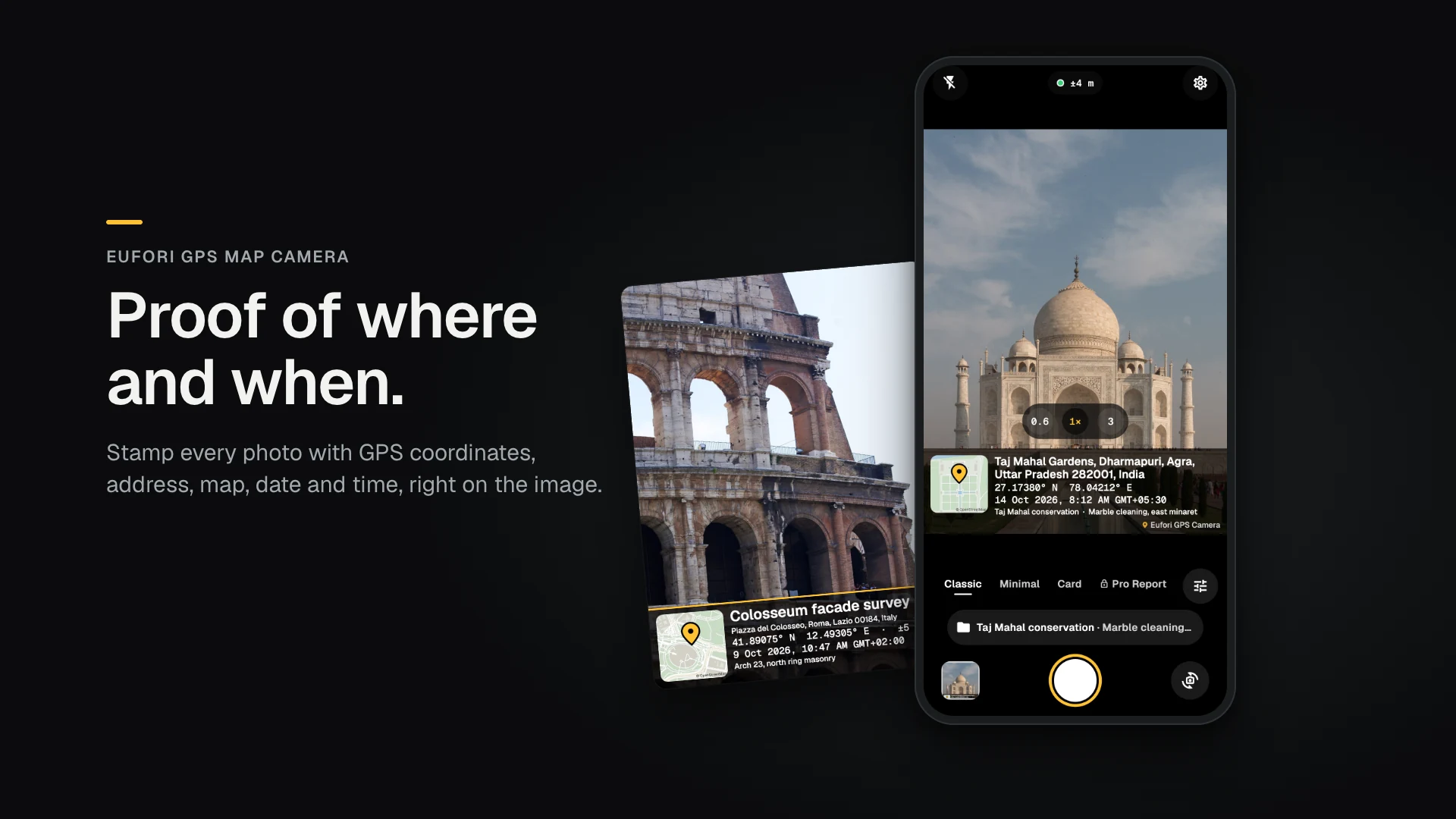
Proof of where and when.

Stamp every photo with GPS coordinates, address, map, date and time, right on the image. Built for people who photograph their work as evidence.

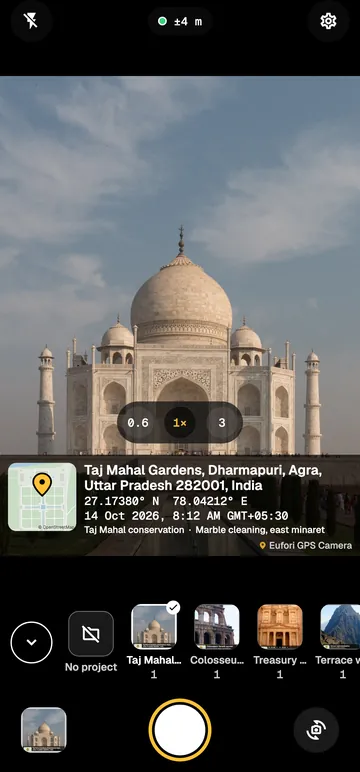
Phone camera screen aiming at the Taj Mahal, with a live stamp showing the address, coordinates, map and time; a stamped photo of the Colosseum beside it

Coming soon to the App Store and Google Play

Free with respectful ads · Premium from ₹149 / $4.99 a year · No account needed

Illustrative example. Photos via Wikimedia Commons: Quentin Lowagie / Klow (CC BY 4.0).

Why field teams switch

Your phone's full camera
Other GPS cameras stick to one lens and cap the zoom. Eufori uses every rear lens your phone has, from ultrawide to telephoto, at the full resolution your phone allows.
Never miss the shot
The camera opens in about a second. Photos save in the background, so you can shoot again straight away.
Your photos stay on your phone
We never upload, store or see them. No account, no cloud.
Works with no signal
Coordinates and time work offline in basements, rural sites and remote areas, and the map works for places you've already viewed.
Ads that stay out of the way
Never on the camera screen, never over a button, never right after you press the shutter.

Features

What the app does for the person holding the phone. Every picture here is the app's own output.

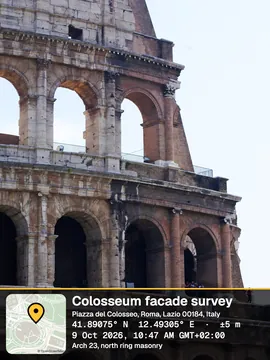
Photo of the Colosseum stamped with project name, address, coordinates with ±5 m accuracy, date and time with time zone, and a mini map

The stamp

Every photo carries its own proof

The stamp is part of the image, so the place and time go wherever the photo goes: a WhatsApp group, a report or a claim.

  • Coordinates with ±m accuracy
  • Street address, or the nearest road
  • Mini map with a pin
  • Date, time and time zone
  • Project and note
  • What you see is what's saved

Illustrative example. Photos via Wikimedia Commons: Quentin Lowagie / Klow (CC BY 4.0).
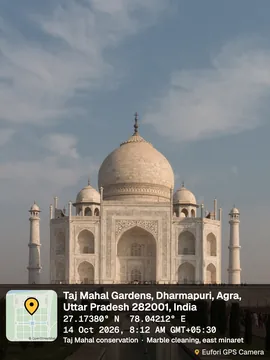
  • Taj Mahal stamped with the Classic templateClassicFree
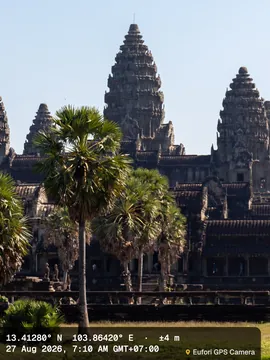
  • Angkor Wat stamped with the Minimal templateMinimalFree
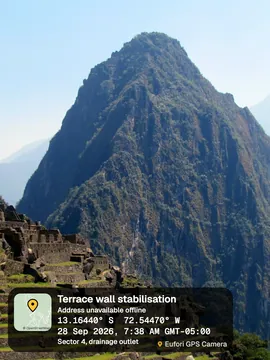
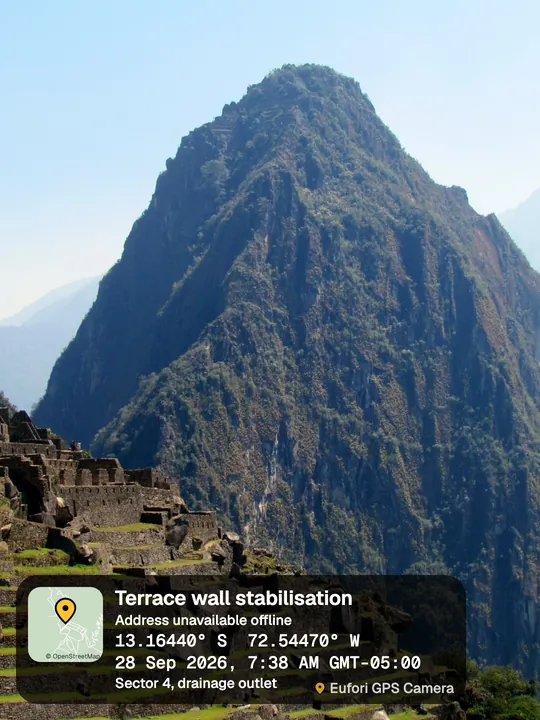
  • Machu Picchu stamped with the Card templateCardFree
  • The Colosseum stamped with the Pro Report templatePro ReportPremium
  • Petra stamped with the Survey templateSurveyPremium
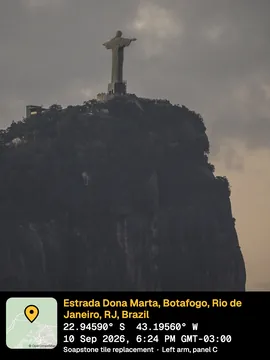
  • Christ the Redeemer stamped with the Night templateNightPremium
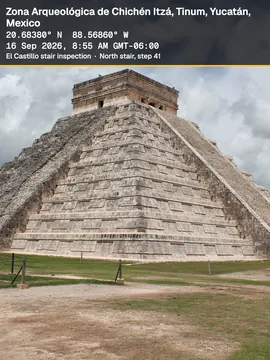
  • Chichén Itzá stamped with the Banner templateBannerPremium
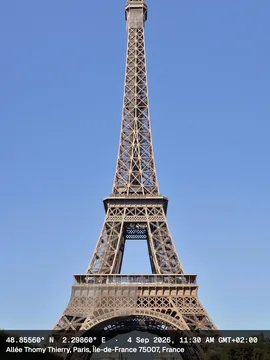
  • The Eiffel Tower stamped with the Compact templateCompactPremium
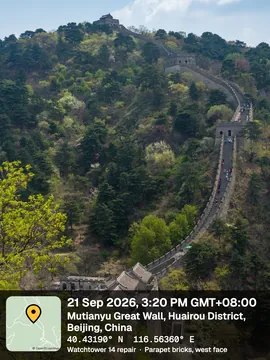
  • The Great Wall stamped with the Bold templateBoldPremium

Templates

Pick the stamp that fits the report

Survey puts the coordinates first. Pro Report leads with the project name. Classic, Minimal and Card are free; the other 6 come with Premium.

  • 9 templates
  • Large stamp for small screens
  • Your company logo Coming soon

Illustrative example. Photos via Wikimedia Commons: bobistraveling (CC BY 2.0), Quentin Lowagie / Klow (CC BY 4.0), Vyacheslav Argenberg (CC BY 4.0), Arian Zwegers (CC BY 2.0), Taxiarchos228 (CC BY 3.0), xiquinhosilva (CC BY 2.0).

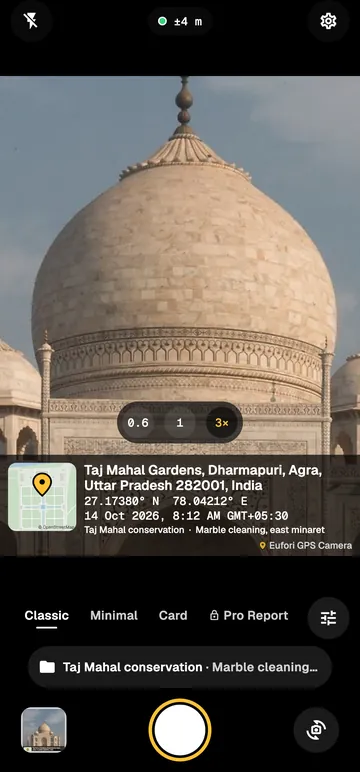
The camera screen at 3× on the Taj Mahal dome, with lens buttons 0.6, 1 and 3 and the live stamp

Camera

Your phone's whole camera

Switch lenses with the same buttons as your phone's own camera, zoom in on a serial plate, and press a volume button to shoot with gloves on.

  • Ultrawide, wide and telephoto
  • Full resolution
  • Tap to focus, hold to lock
  • Flash, torch and grid
  • 3 s and 10 s timer
  • 4:3, 16:9 and 1:1
  • JPEG or HEIC

Illustrative example. Photos via Wikimedia Commons.

Photo of Machu Picchu stamped offline: coordinates, time and map present, address marked "Address unavailable offline"

No signal

Works where the signal doesn't

Coordinates and time come from the phone itself, so a basement or a remote site still gets a full stamp. The accuracy shows on screen before you shoot, and the address fills in once the phone can look it up.

  • Live ±m readout, as a number and a shape
  • GPS, time and accuracy in the photo's EXIF
  • Map offline for places you've viewed
  • Mock-location detection on Android Coming soon
  • Network-verified time Coming soon

Illustrative example. Photos via Wikimedia Commons: bobistraveling (CC BY 2.0).

The camera with the project tray open under the viewfinder, showing restoration projects with photo counts
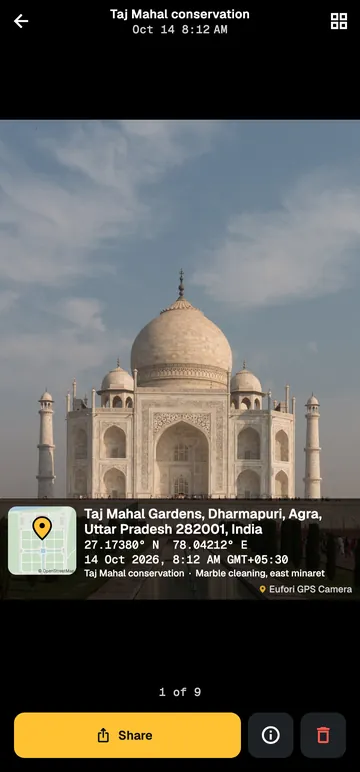
A stamped photo of the Taj Mahal in the viewer, with the Share button

Projects and sharing

One tap between sites

Name the project once and every photo carries it. The gallery groups photos by project and day, and sharing takes two taps.

  • Project tray under the viewfinder
  • Gallery by project and day
  • WhatsApp, email or Drive
  • "Eufori GPS Camera" album

Illustrative example. Photos via Wikimedia Commons: Quentin Lowagie / Klow (CC BY 4.0), Vyacheslav Argenberg (CC BY 4.0), bobistraveling (CC BY 2.0).

Use cases

Anyone who photographs work as proof. Find your trade.

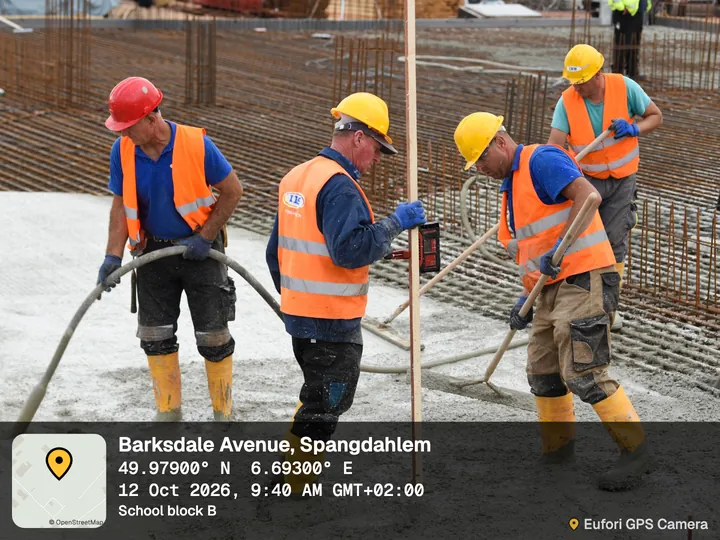
  • Crew in hard hats pouring concrete over rebar, with the app's Classic stamp: Barksdale Avenue, Spangdahlem, coordinates, date and time, project School block B

    Construction and site engineering

    • Daily progress
    • Pours
    • Rebar
    • Snag lists

    Every photo carries the project name, so five sites never get mixed up.

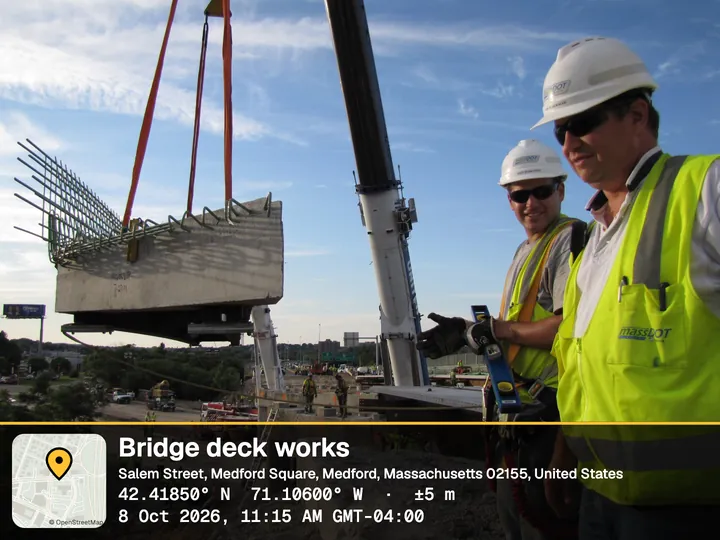
  • Construction inspectors beside a crane lifting a bridge section, with the Pro Report stamp: Bridge deck works, Medford, Massachusetts, coordinates with ±5 m accuracy

    Inspections and audits

    • Buildings
    • Fire safety
    • Equipment
    • Quality checks

    Where and when each finding was shot, with the GPS accuracy beside it.

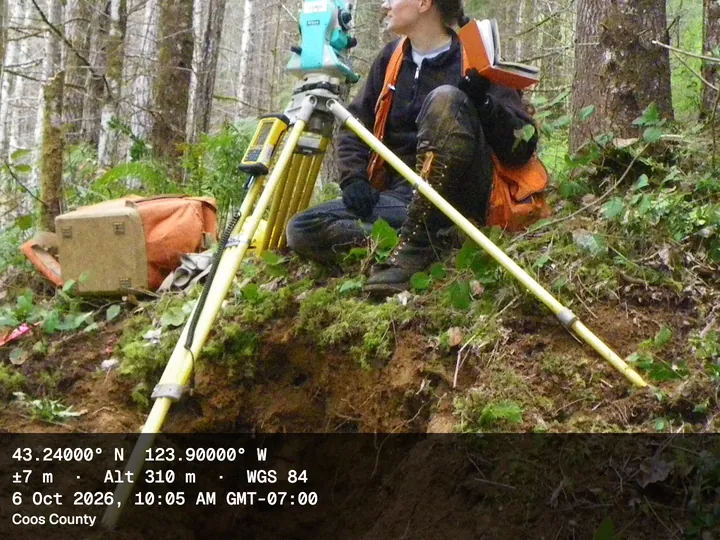
  • Surveyor with a total station in a forest, with the Survey stamp: coordinates first, ±7 m accuracy, altitude 310 m, WGS 84, Coos County, Oregon

    Surveying, land and agriculture

    • Boundary markers
    • Plots
    • Crop condition
    • Field visits

    Coordinates and time work with no signal. The Survey template puts coordinates first.

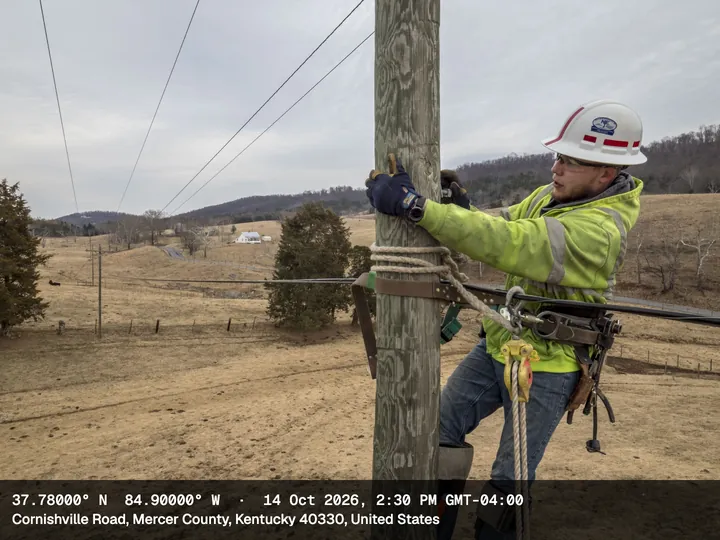
  • Lineman climbing a wooden utility pole in farmland, with the Compact stamp: coordinates, date and time, Cornishville Road, Mercer County, Kentucky

    Utilities, telecom and solar

    • Poles
    • Meters
    • Towers
    • Cable runs
    • Panel installs

    Before and after at each asset: ultrawide for the setup, zoom for serial plates.

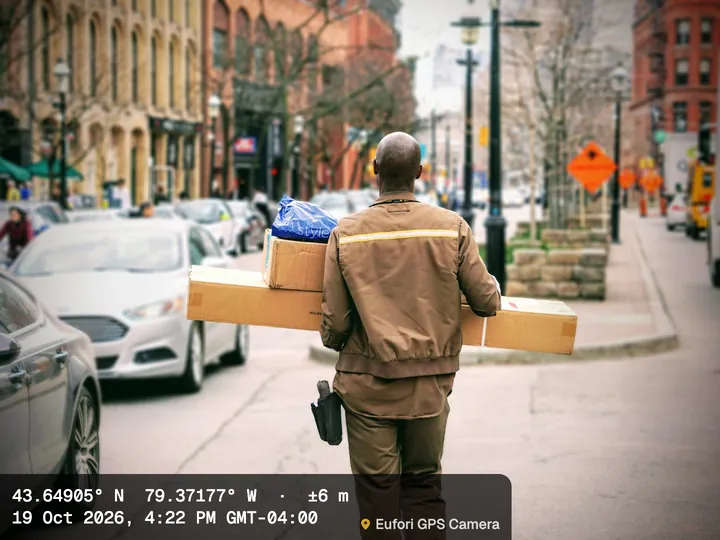
  • Courier carrying parcels down a city street, with the Minimal stamp: coordinates with ±6 m accuracy and the delivery time, Toronto

    Delivery and logistics

    • Proof of delivery
    • Pickups

    Address and time on the photo, shared with the customer in two taps.

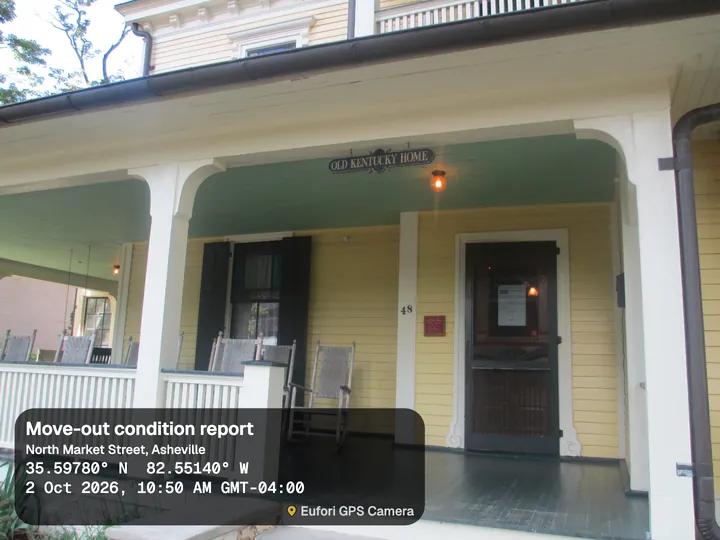
  • Front porch of a yellow house with rocking chairs, with the Card stamp: Move-out condition report, North Market Street, Asheville

    Real estate and property

    • Listings
    • Site visits
    • Move-in and move-out
    • Maintenance jobs

    A dated, located record that protects both landlord and tenant.

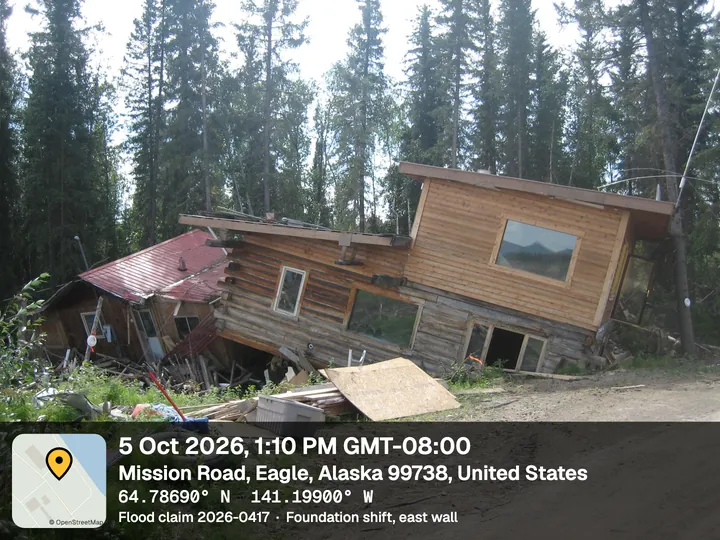
  • Flood-damaged log house tilted off its foundation, with the Bold stamp: date and time, Mission Road, Eagle, Alaska, Flood claim 2026-0417

    Insurance and claims

    • Damage at the scene
    • Loss assessment

    The place and time are on the photo, for assessors, adjusters and claimants.

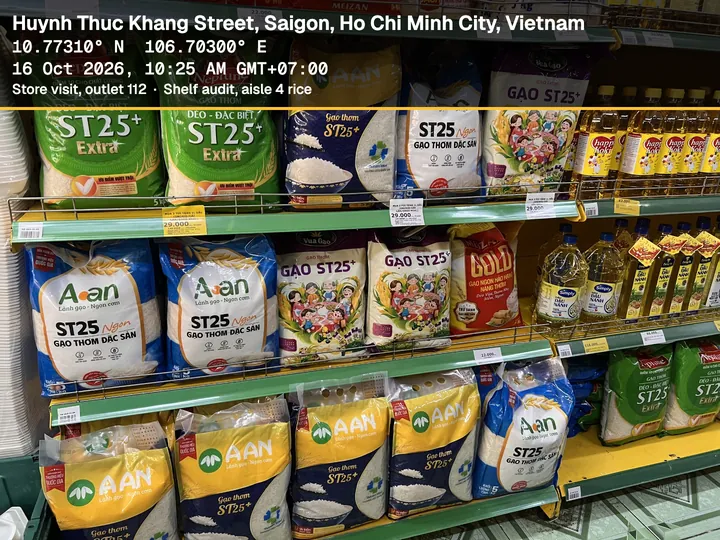
  • Supermarket shelf of rice bags, with the Banner stamp: Ho Chi Minh City, coordinates, date and time, Store visit, outlet 112, shelf audit

    Field sales, service and merchandising

    • Store visits
    • Shelf audits
    • Installations
    • Service calls

    Shows the visit happened, where and when, without a check-in app.

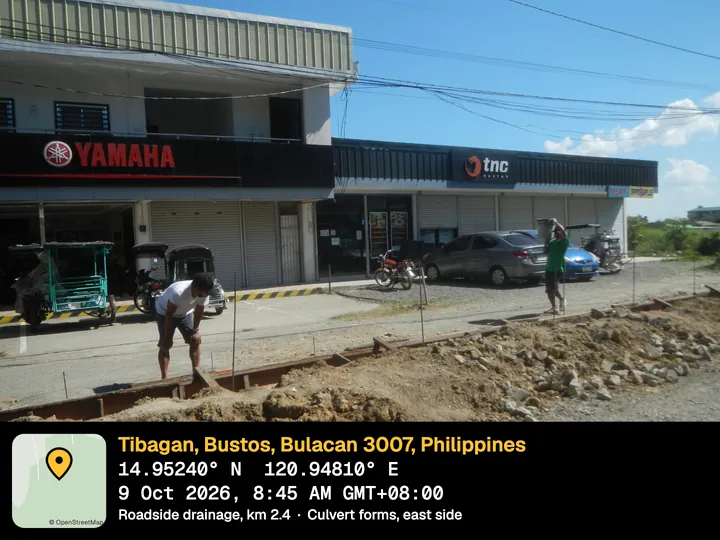
  • Roadside drainage works in front of shops, with the Night stamp: Tibagan, Bustos, Bulacan, Philippines, Roadside drainage, km 2.4

    NGOs, government and public works

    • Project monitoring
    • Beneficiary visits
    • Road and drainage works
    • Grant reports

    Works in rural areas with poor networks.

Illustrative examples, stamped by the app. Photos via Wikimedia Commons, public domain and CC0.

Also Travel and everyday photos, with the place, map and date built in, so you always know where a picture was taken.

How it works

  1. 01

    Open the app. The camera is ready, and the stamp fills in as the GPS locks on.

  2. 02

    Pick a template and, if you like, a project and note.

  3. 03

    Take the photo. It's stamped and saved to your gallery, and you can share it straight away.

Privacy, in plain words

  • Your photos never leave your phone.
  • Location is used only while the camera is open, never in the background.
  • To find the address, your phone uses its own built-in service (Google on Android, Apple on iOS).
  • No account and no sign-up.

Pricing

PlanFreePremium YearlyPremium 1-Year Pass
PriceFree₹149 / $4.99 a year₹199 / $5.99, paid once
After one yearStays freeRenews automatically until you cancelPremium ends. Nothing renews and nothing more is charged
Every lens, full resolution, offline stamp✓✓✓
Templates3All 9All 9
AdsGallery and settings onlyNoneNone
WatermarkSmall "Eufori GPS Camera" markNoneNone

No weekly plans, no trials that charge you, no countdowns. Cancel anytime in your App Store or Google Play account.

FAQ

Does it work without internet?

Yes. Coordinates, time and your note work offline, and so does the map for places you've already viewed. The address fills in when your phone can look it up, or the stamp says "Address unavailable offline".

Do you upload my photos?

No. Photos stay on your phone. We never receive them.

How accurate is the location?

As accurate as your phone's GPS, usually within 3 to 10 m outdoors. The app shows the accuracy live before you shoot.

Will it use all my phone's cameras?

It uses every rear lens your phone makes available to apps, and the highest resolution it allows. Some phone makers keep very high resolution modes for their own camera app.

Is the stamp accepted as legal proof?

The stamp records what your phone reports. It's a strong record, but not a certified one. Check what your client or authority accepts.

Which phones are supported?

Android 8 or later and iPhone with iOS 15 or later.

I changed phones. Do I pay again?

No. Tap Restore purchases with the same App Store or Google Play account.

Anything else: info@euforitech.com